Communications
Meshtastic for emergencies: build an off-grid text mesh
A practical guide to setting up, securing and testing a small Meshtastic network before mobile and internet service fail.
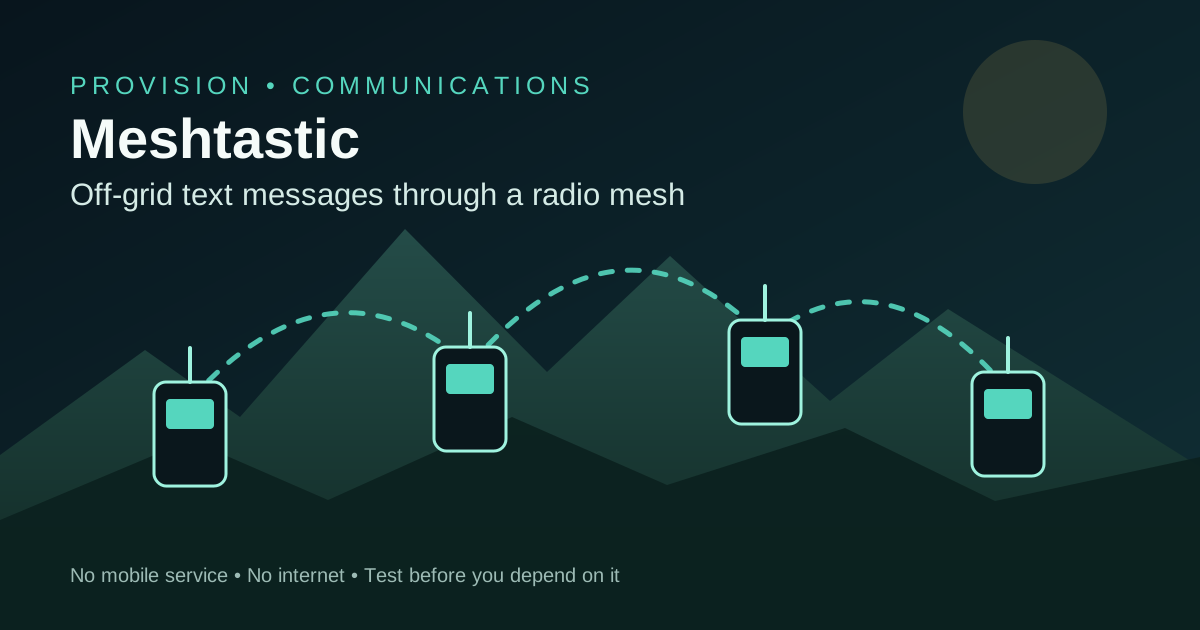
When mobile service is overloaded or an outage takes the internet with it, a family can lose its usual way to coordinate. Meshtastic gives a small group another path for short text messages. It uses low-power LoRa radios that communicate directly and can relay packets through other nodes, without a mobile network or internet connection.[1]
What Meshtastic is
Know what it cannot promise
This is a useful backup, not an emergency service and not guaranteed delivery. Buildings, hills, vegetation, antenna quality, node placement, interference, battery state and network traffic all affect whether a message arrives. A channel broadcast may be confirmed as having reached the mesh without confirming that every intended person received it.[3]
Keep several ways to communicate
Build the smallest useful network
Start with at least two compatible radios for the people or places that must communicate. Pair each radio with one phone or computer through Bluetooth, Wi-Fi or USB, then install current stable firmware and the matching app. Meshtastic documents both officially supported and community-supported hardware; supported devices are the simpler starting point.[2]
- Choose hardware for the job: a complete handheld for people, or a low-power board in a weatherproof enclosure for a fixed node.[6]
- Check that every radio supports the frequency band used in your country. Hardware made for another band cannot be fixed by changing an app setting.[4]
- Attach the correct antenna before powering a radio. The Meshtastic getting-started guide warns that transmitting without one can damage the radio.[2]
- Prefer efficient hardware for battery or solar use; Meshtastic notes that nRF52 devices generally consume less power than ESP32 devices.[6]
- Label each radio, cable and charger so the group can operate them without the person who configured the network.
[2] Start with supported hardware
Set the legal region before transmitting
Every node must use the correct regional setting. It selects legal frequencies and limits, and devices in the same mesh need matching region and modem settings. Leave transmit power on the region-aware default unless you understand the rules and hardware. Do not override duty-cycle protection or use out-of-band frequencies to chase more range.[4]
The frequency setting is a legal setting
Create a private group channel
The default channel uses a well-known key. It is useful for public discovery, but it is not private. Create a separate channel with a unique strong key and load the same channel name, key and radio settings onto the group devices. Share the QR code or channel link directly with members and keep a protected offline copy for rebuilding a radio.[3][5]
- Treat the channel QR code or URL like a password; anyone who obtains it may read future group traffic.[5]
- Change the key if a configured radio is lost, stolen or leaves the group.[5]
- Do not put the private channel key on an unattended relay when it only needs to forward packets.[5]
- Turn off position broadcasts unless the group needs them. If location helps, use the least precision and frequency that serves the plan.[5]
- Keep medical details, access codes and other high-impact secrets out of routine radio messages.
How the mesh and channels work
Encryption has limits
Test the route, not the marketing claim
There is no honest universal range figure. Test the exact homes, roads, shelters and meeting points in your plan. Send messages in both directions, record whether they arrive and repeat in bad weather or with leaves on trees if those conditions matter. Meshtastic's antenna guidance recommends real tests from different locations and explains that obstacles change radio performance.[8]
- Test the two handheld nodes outdoors at short distance.[8]
- Walk or drive the real route and stop at every place where a check-in may be needed.
- Move a node higher and away from metal, reinforced concrete and dense electronics; compare results rather than assuming improvement.[8]
- If one gap remains, test a powered node at a safe high location between the endpoints.[8]
- Repeat after firmware, antenna, channel or placement changes, and write the working configuration on paper.[8]
Height usually beats extra hops
Write a message procedure
A working radio network can still produce confusion. Agree short node names, check-in times and message formats. Use direct messages when one person must acknowledge receipt. For group broadcasts, ask each important recipient to reply with a short confirmation because a mesh delivery indicator is not a roll call.[3]
- Start with who, where, status and what is needed: 'ANA | NORTH SHELTER | SAFE | NEED PICKUP 18:00'.
- Use plain times with the time zone or write 'local time'.
- Send one complete message instead of several fragments.[3]
- Keep non-essential chat, frequent position updates and telemetry off a busy emergency channel.[4]
- If there is no reply, move to the next method in the family plan rather than waiting indefinitely.
Understand delivery status
Keep power and instructions with the radios
- Charge all nodes and power banks on a calendar, not only when a storm is forecast.
- Store the correct data cables and a safe charging source with the kit.
- Measure realistic runtime with your own screen, GPS and position settings.[6]
- Protect fixed outdoor nodes from water, heat and cable strain while keeping the antenna clear.
- Keep a one-page card with power, pairing, channel selection, check-in schedule and fallback contacts.
[6] Hardware affects runtime
Run a ten-minute drill every few months
- Put phones in airplane mode, then re-enable only Bluetooth if the app needs it.
- Send a group check-in from each planned location.
- Send one direct message and verify the acknowledgement.[3]
- Confirm that a person who did not configure the radios can pair, type and charge them.
- Record dead zones, battery level and any changed instructions; fix the plan before packing the kit again.
A tested small mesh is better than an impressive untested one
Buy only enough hardware to prove the route you need. Configure the legal region, replace the default channel key, control location sharing, practise concise messages and keep an independent fallback. Meshtastic becomes useful preparedness when the whole group can operate it without internet and knows when to switch to another method.
Contains affiliate links. Provision may earn a commission if you buy through them, at no extra cost to you. This does not affect our recommendations.